I Spent 3 Nights Testing Gemma 4 (MTP)
Published: May 12, 2026
Nobody mentions the annoying parts.
Google’s new Multi-Token Prediction update promises 2x faster inference with zero quality loss.
So I set it up, tested that claim, and found a few things worth knowing before you do the same.
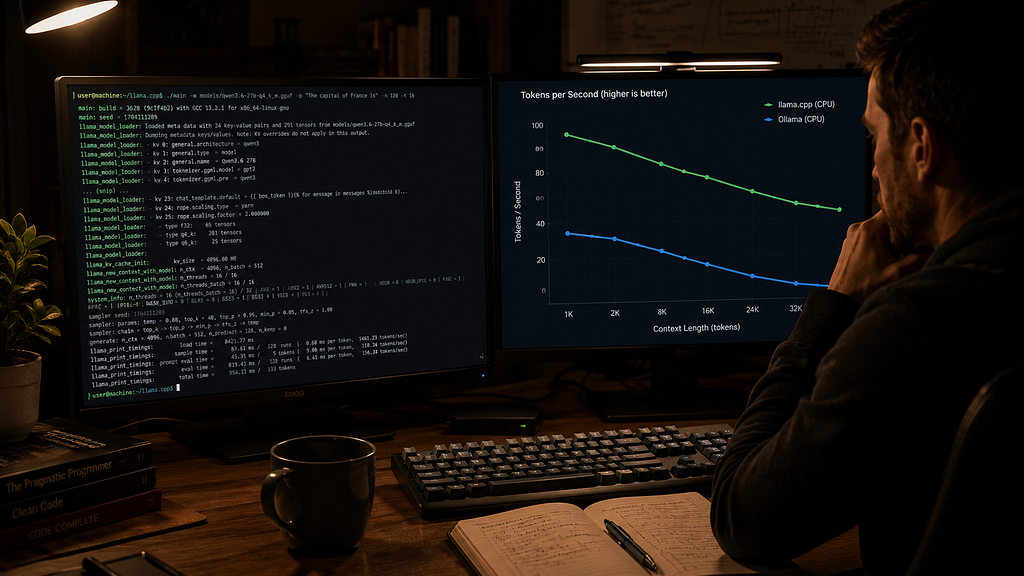
I’ve been running Gemma 4 locally for a while now. I meant to spend maybe an hour testing Gemma 4 MTP.
Pull the models.
Run a few prompts.
Check the throughput numbers.
Write a quick post. Done.
Instead, I ended up spending three evenings poking at llama.cpp flags, reading half-finished GitHub threads, and trying to figure out why one setup felt weirdly slower despite the benchmarks saying otherwise.
The speedups are real. That’s the important part.
But the release notes smooth over a bunch of details that matter once you actually try running this locally.
And honestly, that’s been the pattern with local LLM tooling lately. The demos look frictionless. The real setup usually involves one Reddit comment from somebody named catgpu92 explaining the thing the docs forgot to mention.
If you’ve been experimenting with local AI workflows recently, especially around quantized coding models or VRAM-constrained setups, you’ve probably seen similar behavior already.
So What Actually Is MTP, and Why Should You Care?
Multi-Token Prediction (MTP) is Google’s answer to a fundamental bottleneck in local LLM inference.
Normally, a model generates tokens one at a time:
- Generate token
- Wait
- Generate next token
- Repeat forever until your GPU heats the room
Gemma 4 MTP changes that by attaching a small draft model alongside the main model.
The draft model guesses several tokens ahead. The main model then verifies those guesses in a single pass.
When the guesses are correct — which happens surprisingly often for code and predictable text — generation speeds up a lot.
Google claims up to 2x decoding speedup with zero degradation in output quality.
That last part zero degradation is actually the interesting claim.
Speculative decoding in general has been around for a while. What makes Gemma 4 MTP worth paying attention to is that Google trained these draft models specifically on Gemma 4’s distribution, rather than bolting on a generic small model.
In theory, that means higher acceptance rates.
In practice, I wanted to see what that looked like on real hardware.
The Release Is Slightly More Confusing Than It Looks
At first I thought Google had released entirely new models.
They didn’t.
The Hugging Face Gemma Repos are draft assistants meant to pair with the base Gemma 4 models:
- gemma-4-E2B-it-assistant → draft for the 2B model (78M draft head)
- gemma-4-E4B-it-assistant → draft for the 4B model (156M draft head)
- gemma-4–26B-A4B-it-assistant → draft for the 26B MoE model (156M draft head)
- gemma-4–31B-it-assistant → draft for the 31B dense model (930M draft head)
The naming is a little confusing at first.
These aren’t standalone models.
So you need two things running together:
- The actual Gemma 4 model
- The matching draft assistant
This was obvious after twenty minutes.
It was not obvious during the first five minutes where I was staring at the repo names wondering if Google had invented the world’s worst naming convention on purpose.
The part people immediately noticed was the 31B assistant only being around ~930MB.
That’s small enough that the overhead feels reasonable even on tighter local inference setups.
How I Set This Up (and Where It Gets Annoying)
I’m running on a 24GB VRAM card.
For the 31B dense model pushing it a little too hard, so I went with the 26B MoE variant. Active parameters stay relatively low during inference, which makes it a much more comfortable fit for local deployment.
The setup that actually worked:
# Pull the base model
ollama pull gemma4:26b

# Run speculative decoding through llama.cpp
./llama-server \
  -m gemma-4-26B-Q4_K_M.gguf \
  --draft-model gemma-4-26B-A4B-Q8_0.gguf \
  --draft-max 8 \
  -ngl 99 \
  --ctx-size 32768
The part that slowed me down wasn’t llama.cpp itself.
Here’s the thing nobody quite spelled out in the initial release thread: Ollama doesn’t support MTP natively yet as of the time I’m writing this.
You can run Gemma 4 in Ollama just fine.
You just can’t do the speculative decoding part there yet, at least not cleanly.
I saw similar story with LM Studio when I tested it.
Maybe that’ll change by the time you’re reading this. Right now it’s mostly llama.cpp territory.
Directly, or a server that exposes the--draft-model flag.
For llama.cpp, the command looks like this:
# Run speculative decoding through llama.cpp
./llama-server \
  -m gemma-4-26B-Q4_K_M.gguf \
  --draft-model gemma-4-26B-A4B-Q8_0.gguf \
  --draft-max 8 \
  -ngl 99 \
  --ctx-size 32768
Also:
--draft-max 8 seemed like the practical ceiling for me.
I tried pushing it higher because bigger number obviously means faster, right?
Didn’t really help.
At some point, the draft model starts missing too many predictions, verification overhead increases, and throughput actually dips.
For coding workloads, 6–8 felt consistently stable.
Creative writing was noticeably messier.
Which honestly makes sense.
The Speed Gains Are Real, Just Not Uniform
The benchmark headline is
Up to 2x faster inference.
That’s technically true.
I saw it.
Mostly on boring code.
https://medium.com/media/1f118956ff321dd4e8b970e07a3782c6/hrefFor code completion and short generations (under ~200 tokens), the speedup was closer to 1.7–1.9x in practice.
Not quite the 2x ceiling, but noticeable.
Watching tokens fly out at that speed after weeks of standard inference felt a bit surreal, honestly.
For long-form generation behaved differently.
Explanations, documentation, and multi-step chains generally landed closer to 1.3–1.5x improvements.
The reason is fairly intuitive once you think about it:
The less predictable the output becomes, the more often the draft assistant misses predictions.
Rejected drafts still cost compute.
For repetitive boilerplate code though — imports, CRUD scaffolding, unit tests — Gemma 4 MTP absolutely flies.
That’s where speculative decoding shines.
One thing I still find a bit counterintuitive: the output quality is genuinely identical to running without MTP.
I was half-expecting some subtle degradation like the model cutting corners somewhere. But speculative decoding is mathematically equivalent to standard decoding when the main model is doing the verification. The math holds up.

The Weird Thing Is Gemma 4 MTP Doesn’t Reduce Output Quality
This part genuinely surprised me more than the raw speed gains.
I kept expecting subtle degradation.
- Shortcuts.
- Slightly sloppier reasoning.
- Sloppier outputs.
- Subtle degradations.
- Something.
Didn’t happen.
The outputs matched exactly in my testing.
Which feels counterintuitive until you remember how speculative decoding actually works.
The main model still verifies every generated token before outputting anything.
So mathematically, the output remains equivalent to standard decoding.
That part impressed me more than the benchmark numbers themselves.
What’s the Catch With Gemma 4 MTP?
There Is One.
Actually several.
VRAM overhead is real
A few things the benchmarks won’t tell you:
The draft assistant still sits in VRAM alongside the main model.
For the 31B setup, you’re looking at roughly an additional ~1GB overhead.
If your GPU is already running near 95% utilization, MTP can absolutely push you over the edge.
Check your VRAM headroom before assuming it’ll slot in cleanly.
Prompt processing does not get faster
This only speeds up decoding.
If you throw a giant 64K context prompt into the model, prefill time still costs exactly what it used to cost.
A few people seemed disappointed by this in early threads, probably because “2x faster inference” sounds broader than what’s actually happening.
The draft model acceptance rates vary heavily by workload
This is the biggest thing benchmark charts usually hide.
Your effective speedup isn’t fixed — it depends on how predictable your output is.
- Coding = high acceptance rate = big gains.
- Open-ended creative tasks = lower acceptance rate = more modest gains.
Keep that in mind when you see benchmark numbers measured on code benchmarks exclusively.
The llama.cpp PR situation is still a little messy
There’s an experimental llama.cpp MTP PR floating around that some people are using for even more aggressive throughput gains.
The maintainers themselves have described parts of it as unstable.
Personally, I stopped there.
I’ve reached the stage where:
“slightly faster inference”
no longer outweighs
“random segfault at 1AM.”
Which Gemma 4 MTP Model Should You Actually Use?
If you have 16GB VRAM: The 4B + E4B assistant is your realistic option. Gains are smaller in absolute terms, but the model is fast enough already that the UX improvement is still noticeable.
If you have 24GB VRAM: The 26B MoE + its assistant is the sweet spot. Active parameters are around 4B during inference despite the larger model size, so it fits comfortably and the quality jump over 4B is meaningful.
If you have 48GB+: The 31B dense + its 930MB assistant is where MTP really shines. Dense models have higher draft acceptance rates than MoE models for most tasks. The 31B is also competitive with cloud models on coding benchmarks — which is the whole point of running this locally.
Is Gemma 4 MTP Worth Using Right Now?
For local coding workflows? Honestly, yes!
After a couple days I stopped turning MTP off for coding tasks entirely.
The speed difference is large enough that going back feels sluggish pretty quickly.
For long-form reasoning or creative work, I’m less certain the setup friction is worth it yet. The gains are still there, just noticeably smaller.
The main thing is this:
Gemma 4 MTP works better than I expected once it’s configured correctly.
The annoying part is getting to that point.
Setting everything up took me maybe 45 minutes total, including the time spent reading model cards, digging through Reddit comments, and realizing a few instructions were already outdated by the time I found them.
Would’ve been faster if somebody had written this article first.
How Does Gemma 4 MTP Compare to Qwen?
Conceptually, the workflows are very similar.
In my limited testing, throughput gains were in roughly the same range for coding tasks.
Gemma 4 felt a little more coherent during longer reasoning chains, but that’s one setup, one GPU, and not enough testing to turn into a grand conclusion.
I’ll probably do a deeper Qwen speculative decoding comparison later because the acceptance-rate behavior between dense and MoE models gets interesting pretty quickly.
If you’re already comfortable running local LLMs, this is worth an afternoon.
If you’re brand new to local inference, I’d still start with a normal Gemma setup first before layering speculative decoding on top.
MTP adds just enough extra moving pieces that debugging becomes a lot easier once you already know what “normal” looks like.
Related Reading
If you’re interested in local AI infrastructure and inference optimization, you’ll probably also enjoy:
- I Ran Gemma 4 Locally. Here’s What Nobody’s Telling You.
- I Tried Gemma 4 Against GPT and Claude for a Week
- I Ran Qwen3.6 Locally. The Thinking Mode Changed How I Use It
A message from our Founder
Hey, Sunil here. I wanted to take a moment to thank you for reading until the end and for being a part of this community. Did you know that our team run these publications as a volunteer effort to over 3.5m monthly readers? We don’t receive any funding, we do this to support the community.
If you want to show some love, please take a moment to follow me on LinkedIn, TikTok, Instagram. You can also subscribe to our weekly newsletter. And before you go, don’t forget to clap and follow the writer️!
I Spent 3 Nights Testing Gemma 4 (MTP) was originally published in Artificial Intelligence in Plain English on Medium, where people are continuing the conversation by highlighting and responding to this story.

